PROBLEM
You are trying to set up the correct range of keypad ID numbers to be able to test and collect votes for those specific keypads.
SOLUTION
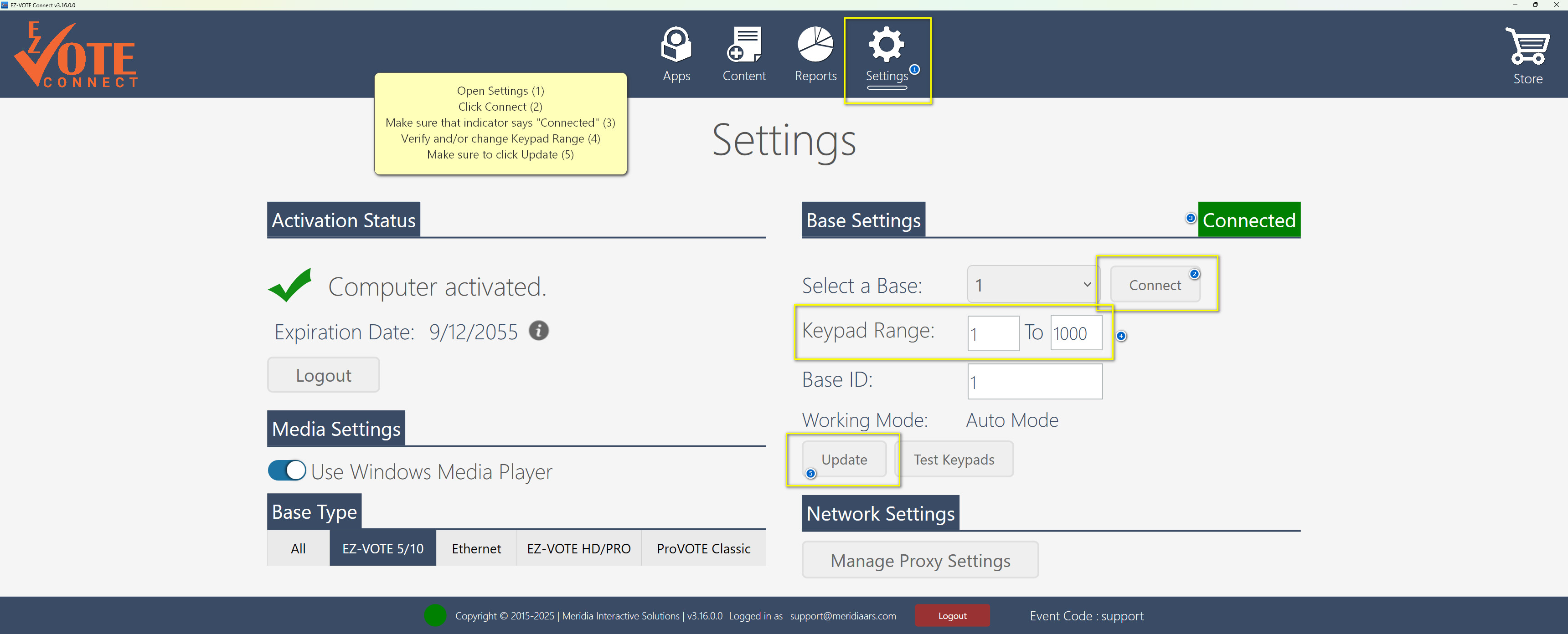
Each base/receiver needs to be configured to a specific set of keypad ID numbers. Also, if you are using multiple bases, each base needs a unique ID number to be recognized by the software. Use the EZ-Vote Connect settings to change the base settings (seen below). You may enter a new base ID or the desired keypad range, and then select the update icon to save your settings.
YOUTUBE TUTORIAL
Was this article helpful? Please leave your feedback below
Was this article helpful?
That’s Great!
Thank you for your feedback
Sorry! We couldn't be helpful
Thank you for your feedback
Feedback sent
We appreciate your effort and will try to fix the article