PROBLEM
You need to conduct a vote in multiple rooms within the same building, or multiple buildings connected through an internal network. Often, in a (town) meeting, the organization needs to accommodate an overflow of people, specifically families with children, or nursing mothers and they want to make sure that everyone's vote is counted, no matter where they sit.
SOLUTION
In order to achieve success, you must already know how to set up Meridia's software TownVOTE as well as how to set up the receivers/bases. Our EXTended-range receivers can reach to around 600' with no obstructions, or around 300', depending on the structure of the building (walls) and distance between the main meeting room and the overflow room(s). Affixing your receiver to a tripod (6ft, 9ft, or 13ft) and raising it as high as possible will help extend the range of the receivers as far as possible. Some tripods might require a 3/8-inch threaded adapter in order to house the receivers.
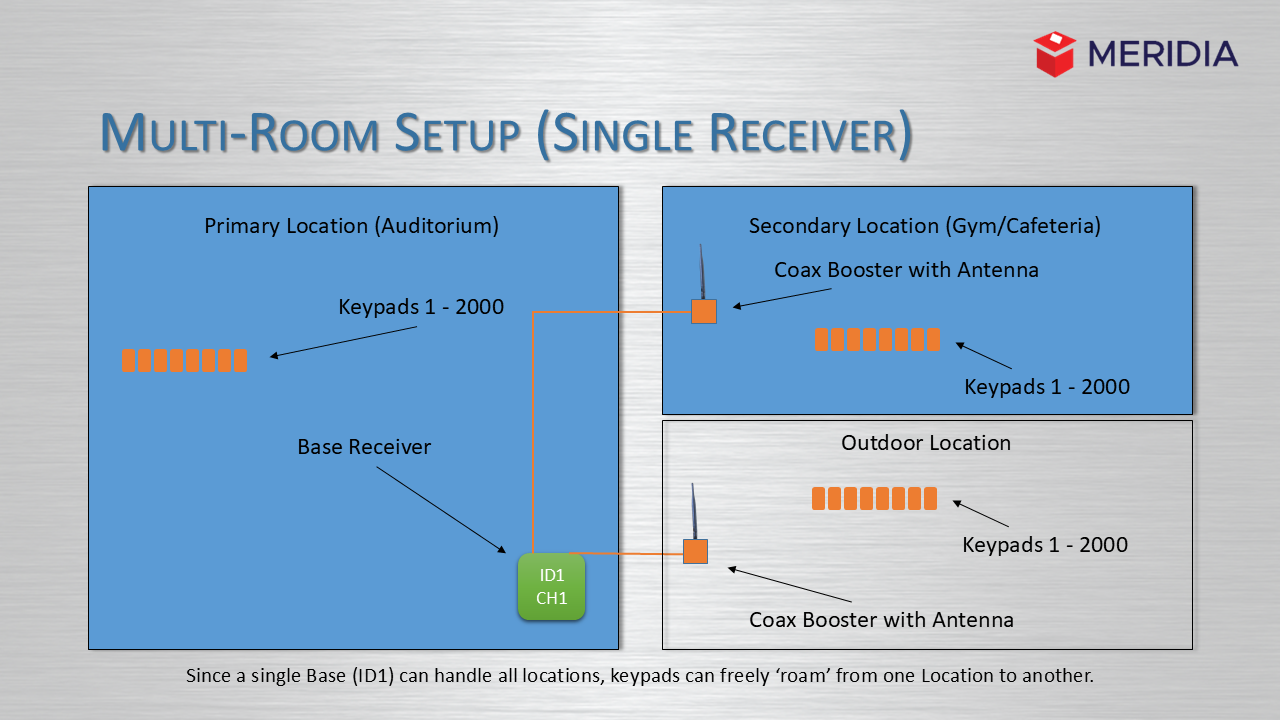
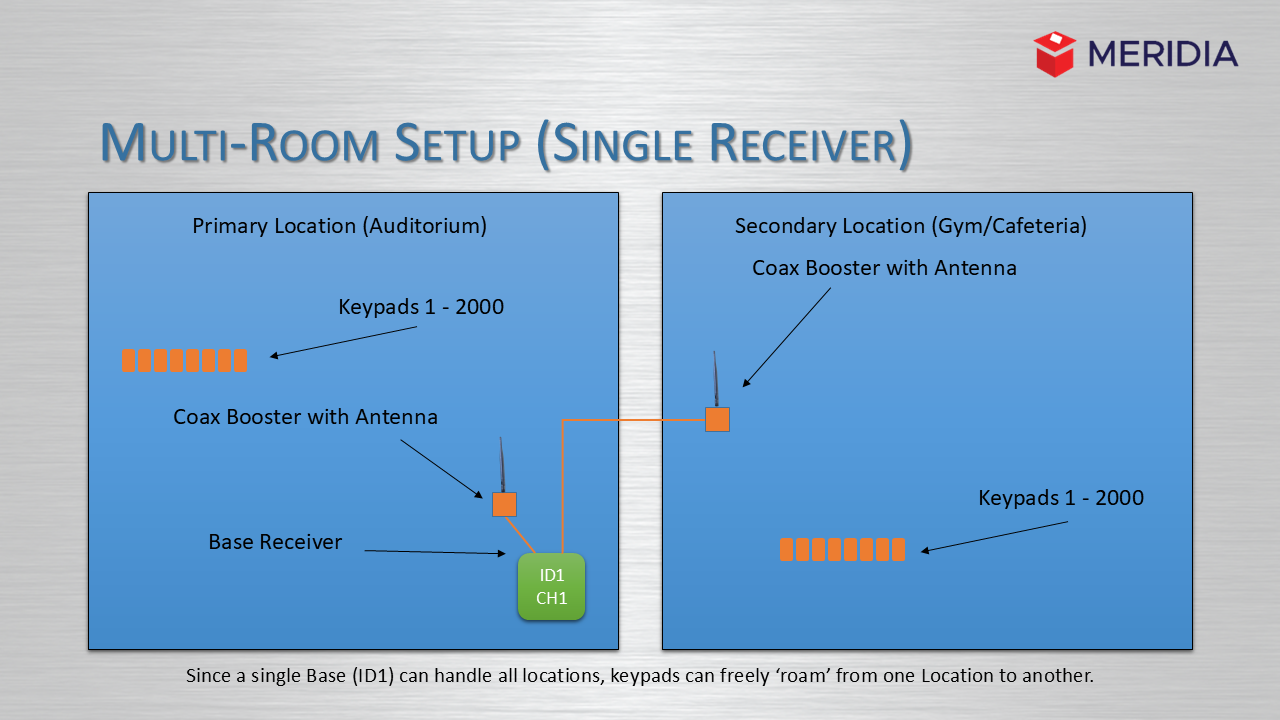
Sometimes, one receiver is able to reach both rooms using external antennas. Remove the 'stick' antennas and use a coax cable to fasten booster antennas onto the receiver. While leaving the receiver in between both rooms, run a booster antenna into each of the voting rooms. You should now have the range to complete voting in both rooms. We recommend that you mount the booster antennas on a tripod shelf, which will keep the cables and hardware safe and organized.
Here is an example of using one receiver for two different rooms. The first picture shows two booster antennas going to three different rooms, while the second picture shows one booster antenna used for two different rooms.
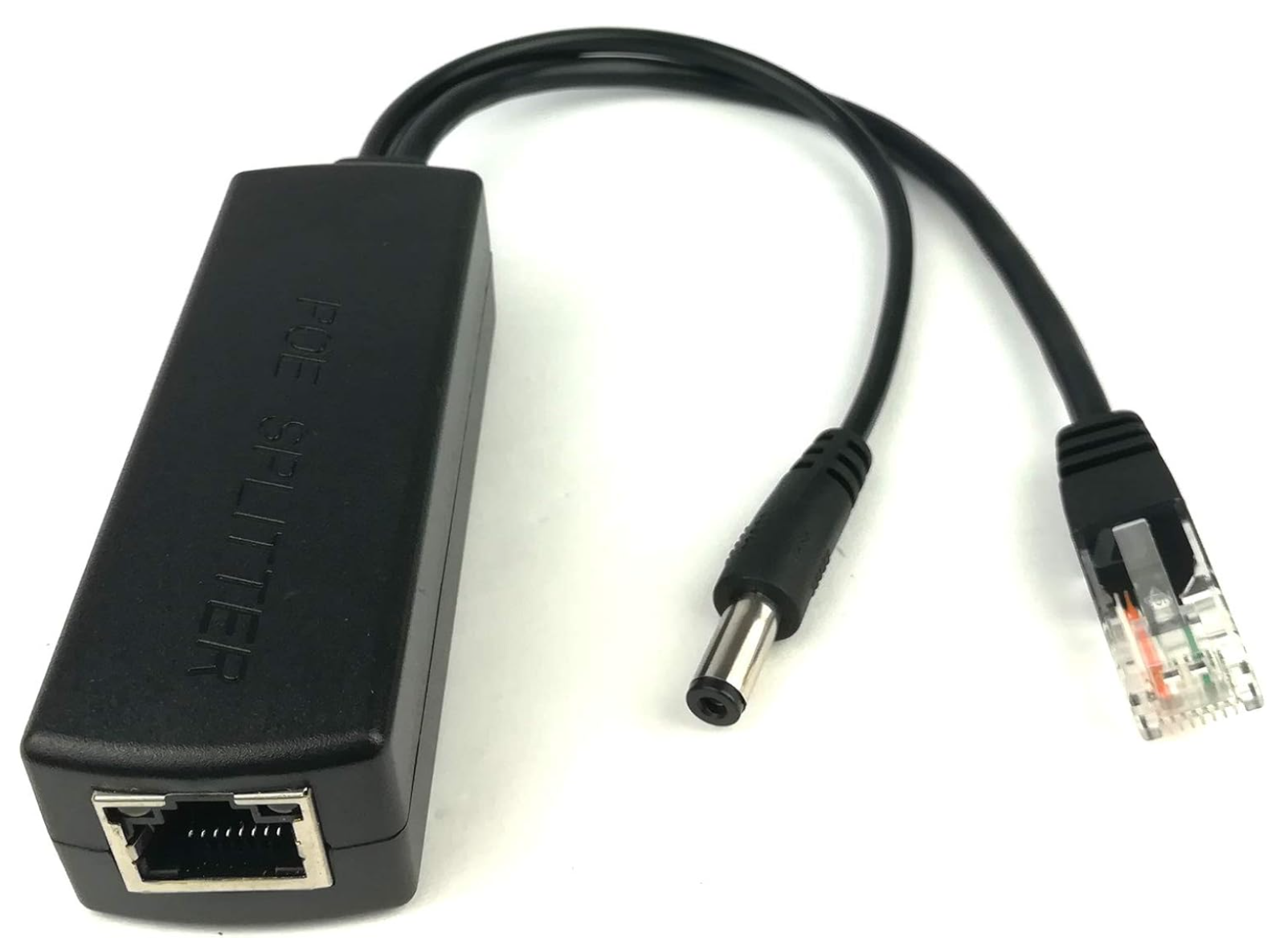
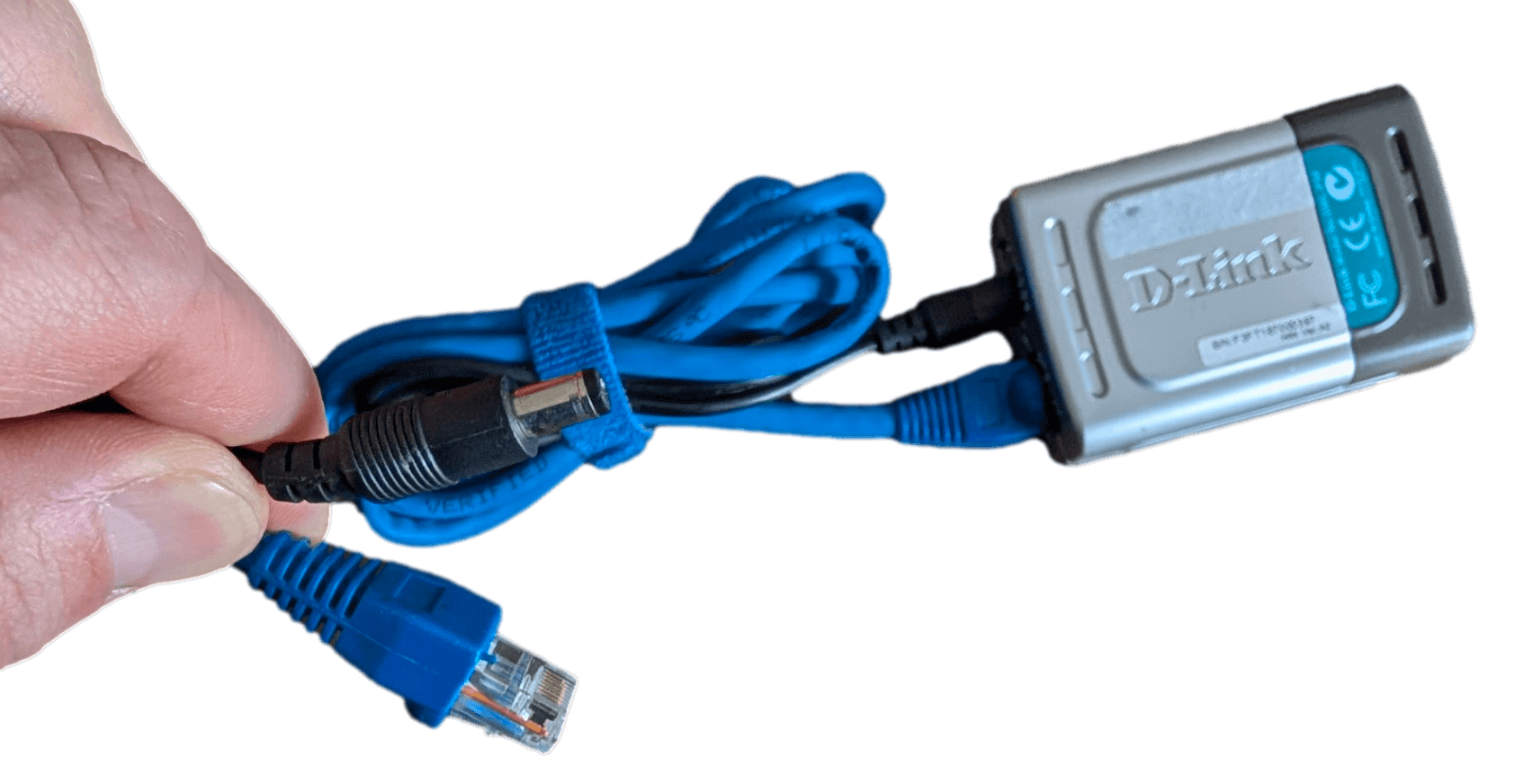
Remember, if you are using the network mode, you will need to use a PoE (Power-over-Ethernet) adapter to power the receiver (shown below). Alternatively, you can power the receiver separately with a 15-volt power supply, but this requires electrical connection to an outlet.
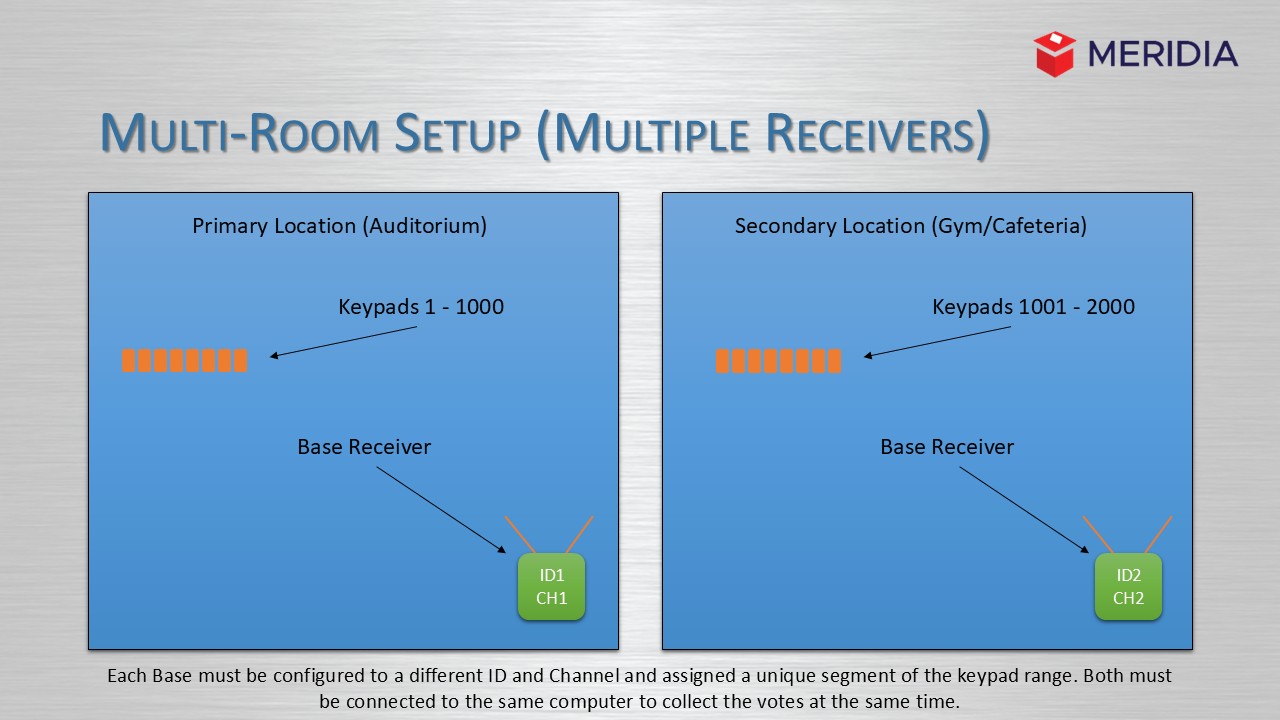
In some cases, one receiver will not have enough range for both rooms. In this instance, it is recommended you use two receivers. The range will be limited only by the length of your ethernet cable. Make sure that receivers have two separate IDs (Receiver A = ID 1, Receiver B = ID2) as well as separate keypad groups (Receiver A + keypads A (1-1000) vs. receiver B + keypads B (1001 - 2000)). Use this article if you need to review how to change the base ID to match the keypads. It is also important that voting participants use the correct keypads in each room (keypads A + location A vs. keypads B + location B). Below you can see a diagram of how a multi room setup with multiple receivers may look.
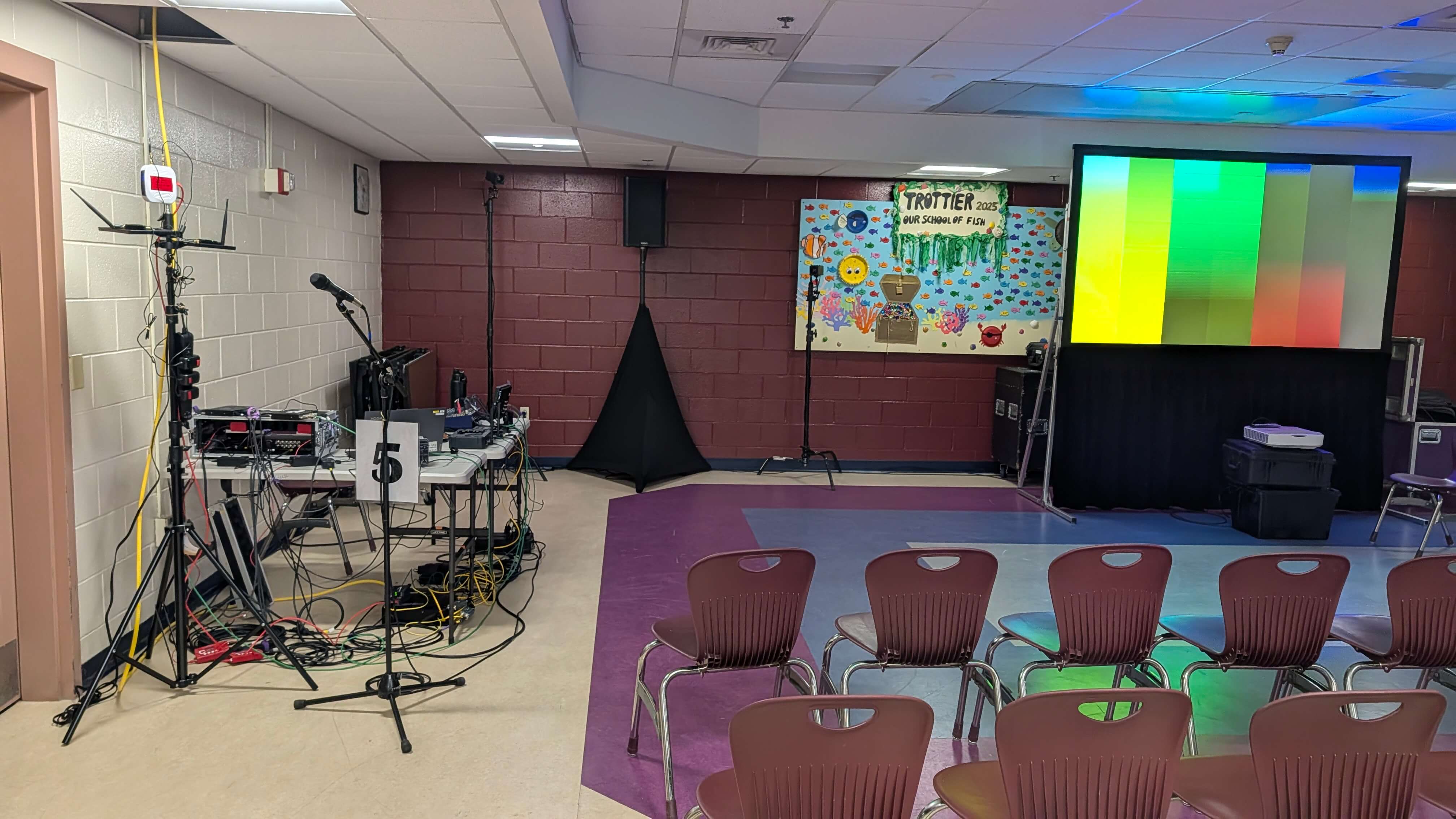
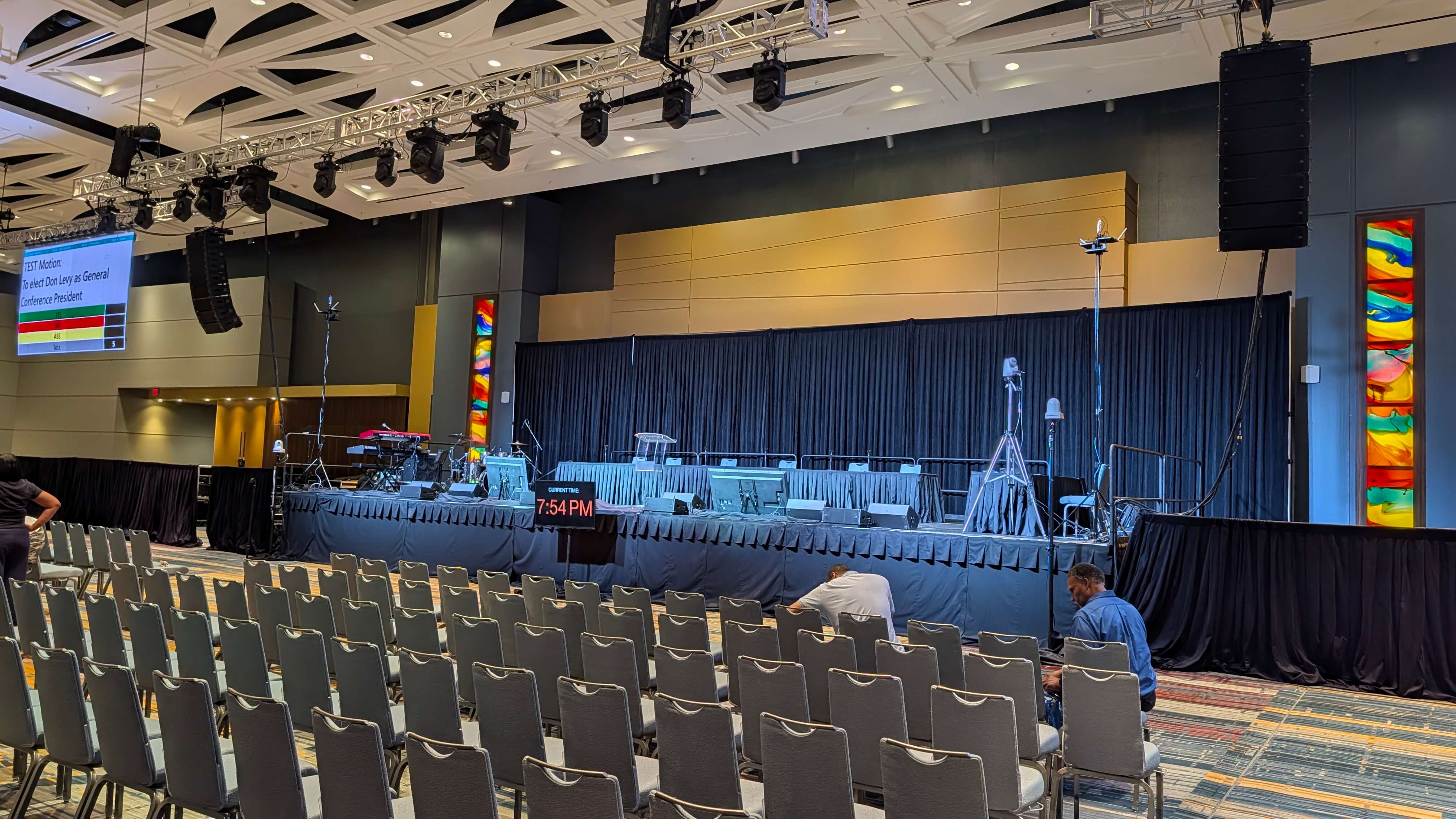
Here are some pictures from the Special Town Meeting for the Town of Southborough, MA where we used 3 receivers in 3 rooms. The first picture shows the setup in the auditorium, and the last picture shows the setup in the cafeteria. Both receivers were powered with a 15-volt power supply and received an internet connection through the building's ethernet connection. Not pictured is the receiver in the gymnasium.
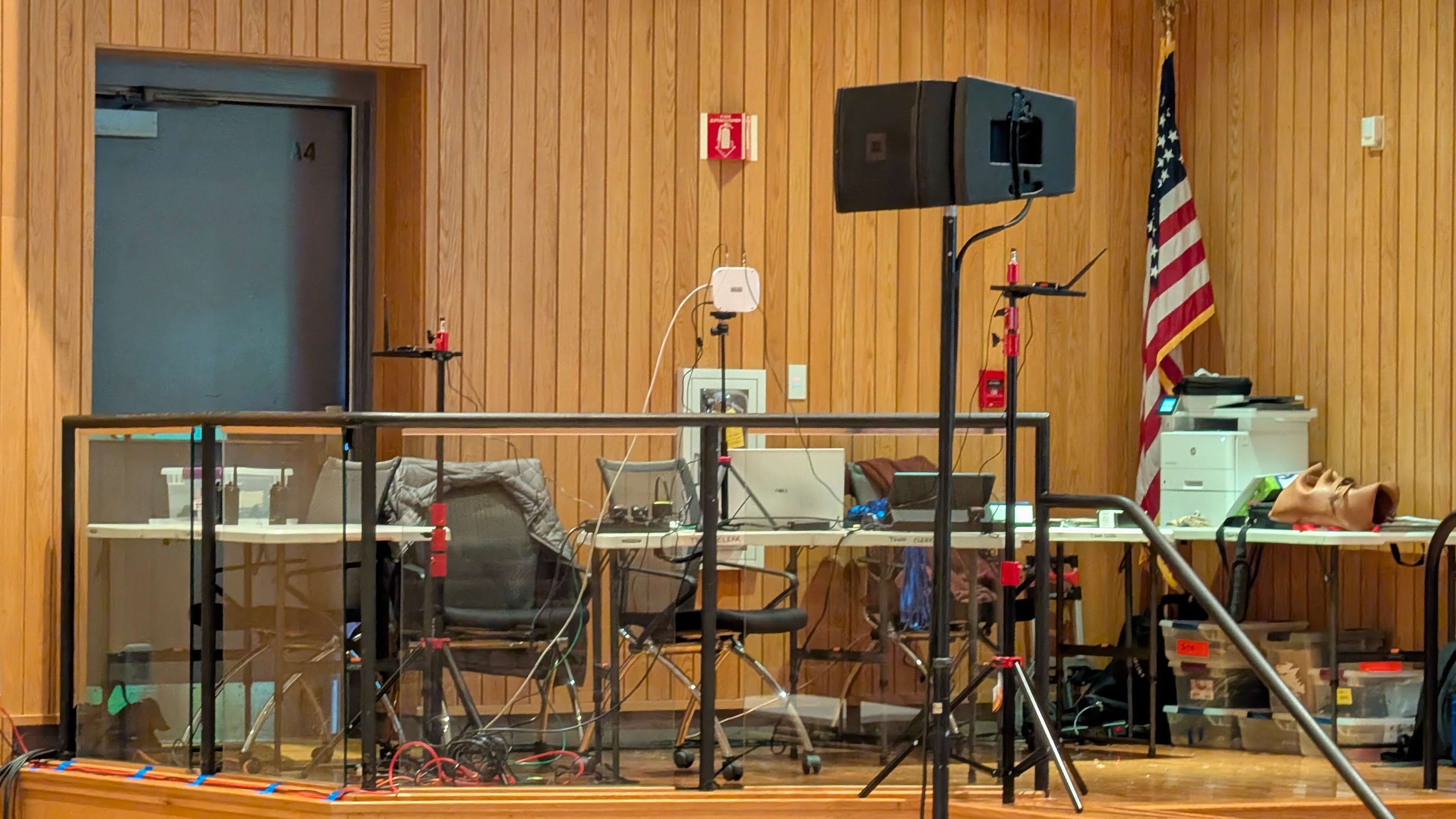
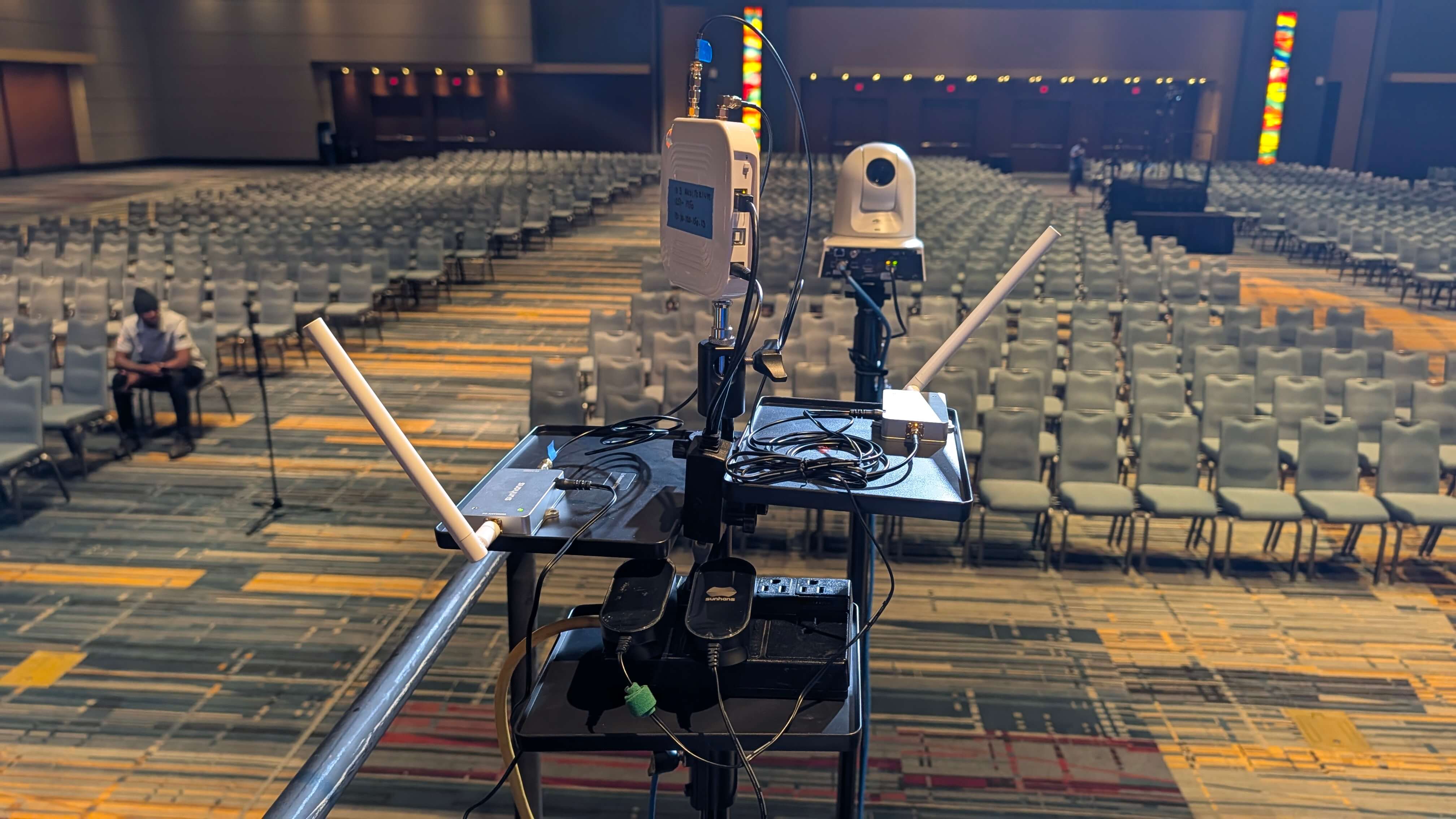
Below you can see another setup from the Special Town Meeting of Sterling, MA. Two receivers were fixed on either side of the stage with booster antennas. The closer picture is a great depiction of a proper setup.
TROUBLESHOOTING
If you are still experiencing issues with the speed of the vote, there are several steps I would recommend. First, make sure that the receivers have unique IDs. Then, you should check that the receiver is not scanning for keypads that are not in use. For example, if you are using keypads 1-200, then the keypad range should only use 1-200. Also, you could try putting the keypads into match mode. This will match them to an individual base which will help reduce the speed it takes for the receiver to receive the vote from the keypad. Additionally, you could try to limit network interference by switching the receiver to a network channel with less internet traffic. Usually, turning off the 2.4 GHz channel will reduce Wi-Fi interference the most. You can learn more about Wi-Fi interference in this article and in this one. Raising the receiver higher in the air might cause it to receive a better signal from the keypads. If you have any further questions, please visit our knowledge base, or contact us: support@meridiaars.com.
RELATED ARTICLES
How Can I Extend the Range of My ARS Signal?
Keypad and Base Configuration - Free Mode (Dynamic) vs. Match Mode (Fixed)
Did this article solve your issues? Please leave feedback below.
Was this article helpful?
That’s Great!
Thank you for your feedback
Sorry! We couldn't be helpful
Thank you for your feedback
Feedback sent
We appreciate your effort and will try to fix the article