PROBLEM
You may wish to match keypads to a single receiver to reduce interference with other bases and devices on the same network. Matching may also increase voting speeds in a multi-room setup.
SOLUTION
In order to match keypads to the receiver, you will need our toolkit app. Please contact us at support@meridia.vote to receive a link to the Toolkit app. Keep in mind, you'll need Admin rights to run the app (it doesn't permanently install on the computer, and you may need to 'whitelist' the app in your security (i.e., anti-virus) software. Once you have opened the Toolkit, connect to the receiver in USB or Ethernet mode. You will know that the base is connected if it is showing two blue lights on the front of the black display (on the receiver itself). Then, switch the working mode of the receiver to match mode.

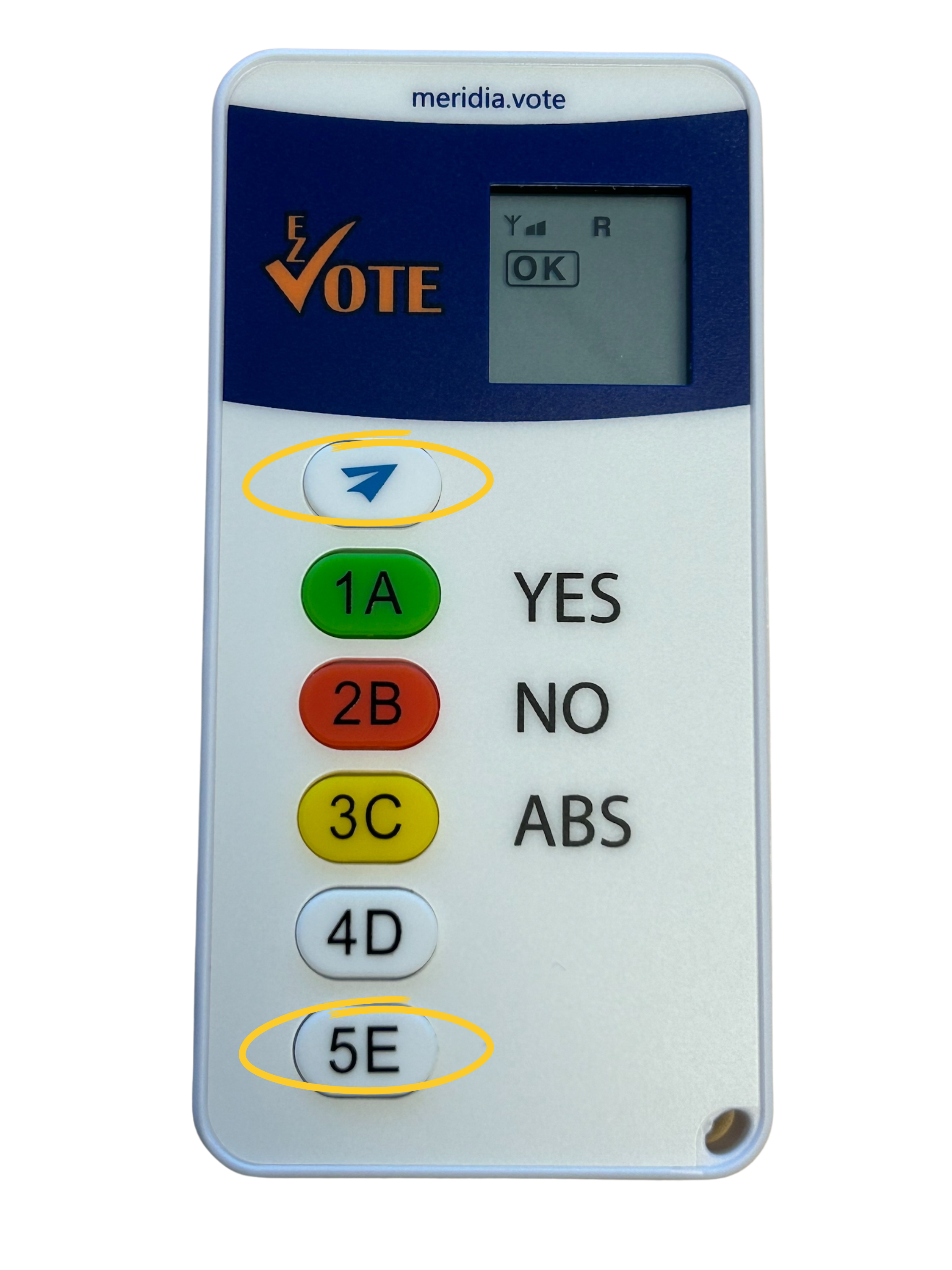
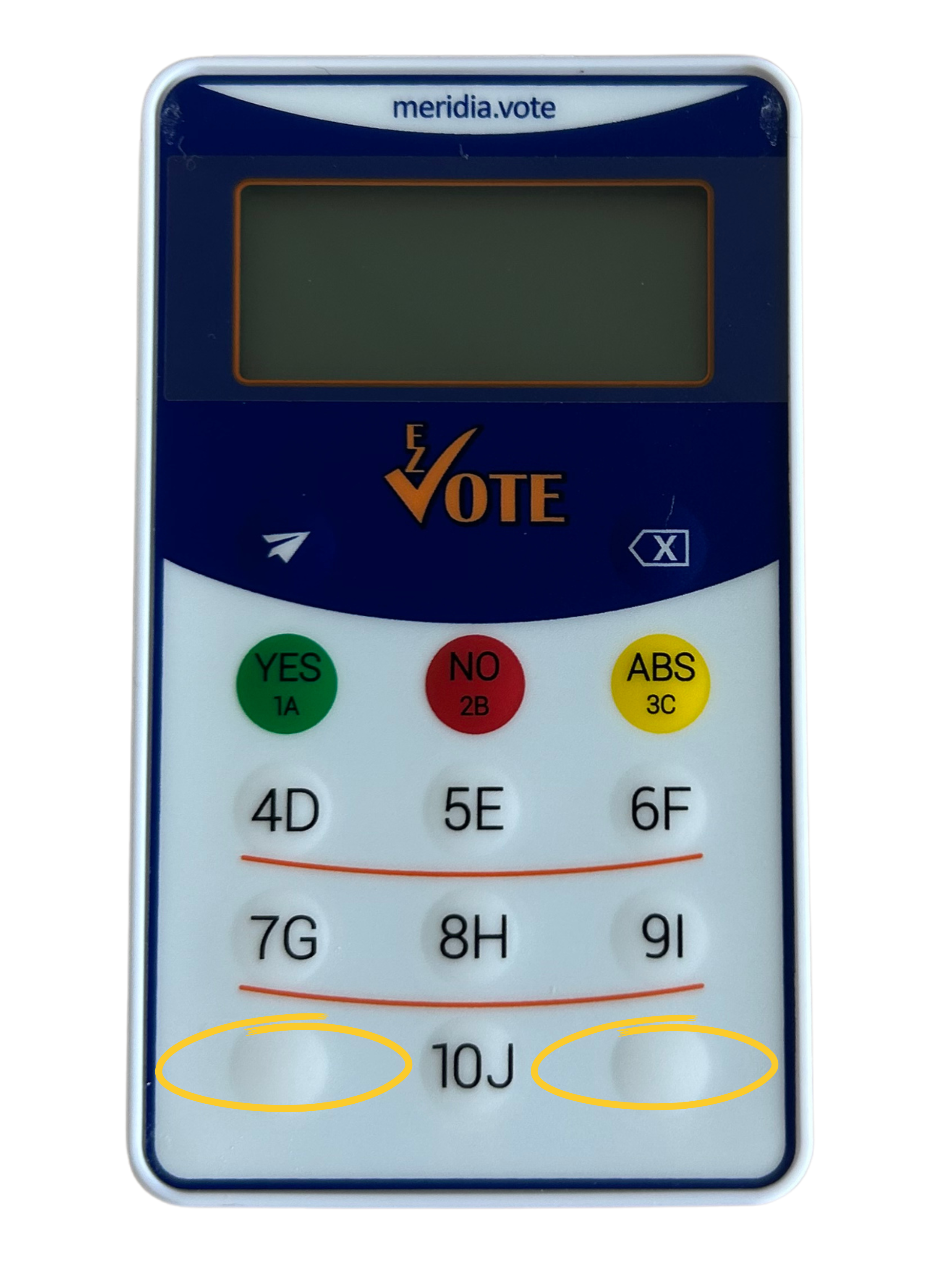
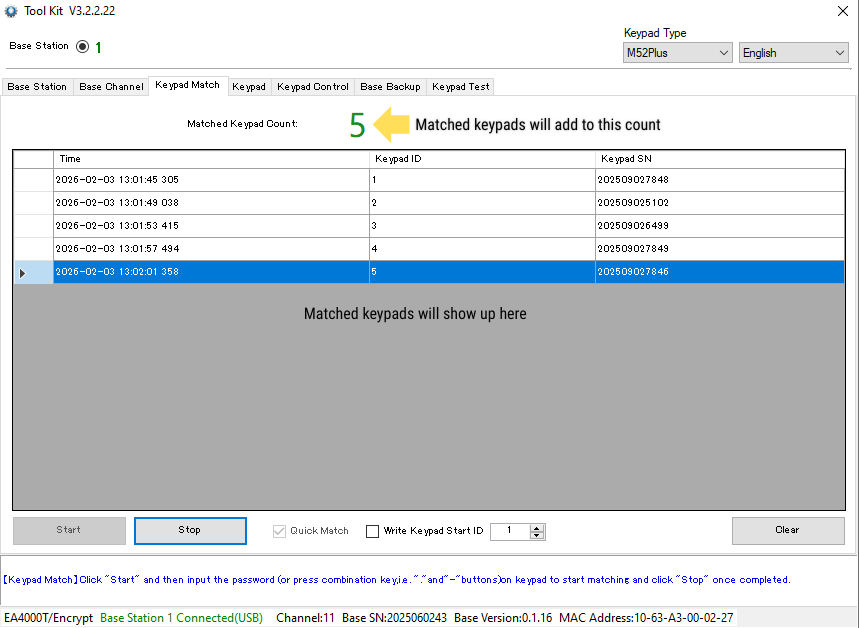
After that, navigate to the keypad match tab. When you are ready to begin, select the quick match checkbox and press start. In order to match a keypad, you will need to hold the send button indicated by a paper plane, and the 5E button at the bottom of the keypad simultaneously. For the 10 button keypads, press the bottom left and right corner buttons simultaneously. During the process, you will see an L indicated on the LED screen, as well as an ascending number which represents the channel the keypad is searching for. When matched, you will see an OK on the keypad LED display, and the keypad information will appear in the gray chart in the toolkit app.
MATCHING BUTTONS
MATCHED KEYPAD
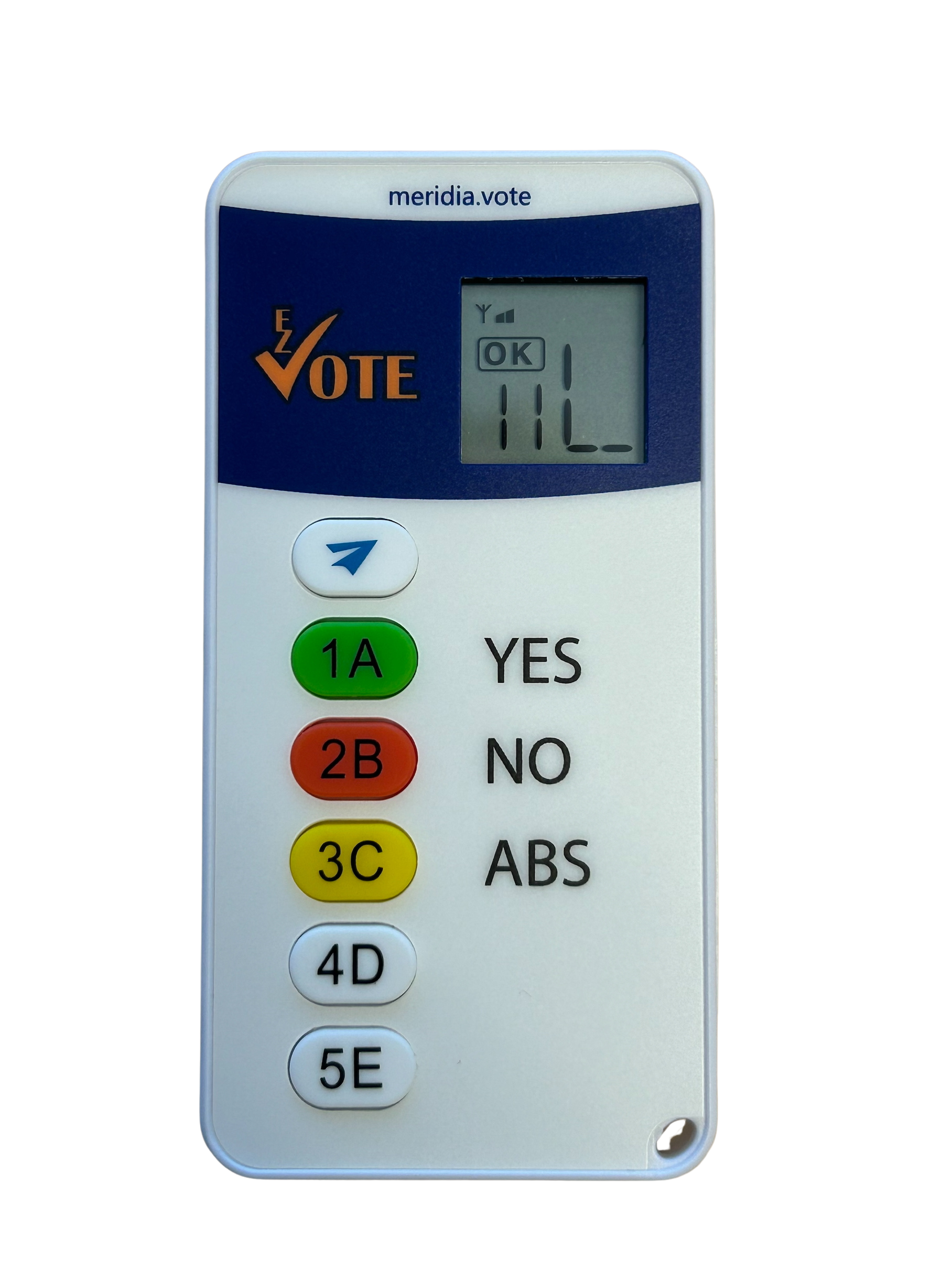
Also, you will see the matched keypad count at the top ascending. When you are finished matching your keypads, you may select the stop button to stop matching, or the clear button in the bottom right to clear the list.
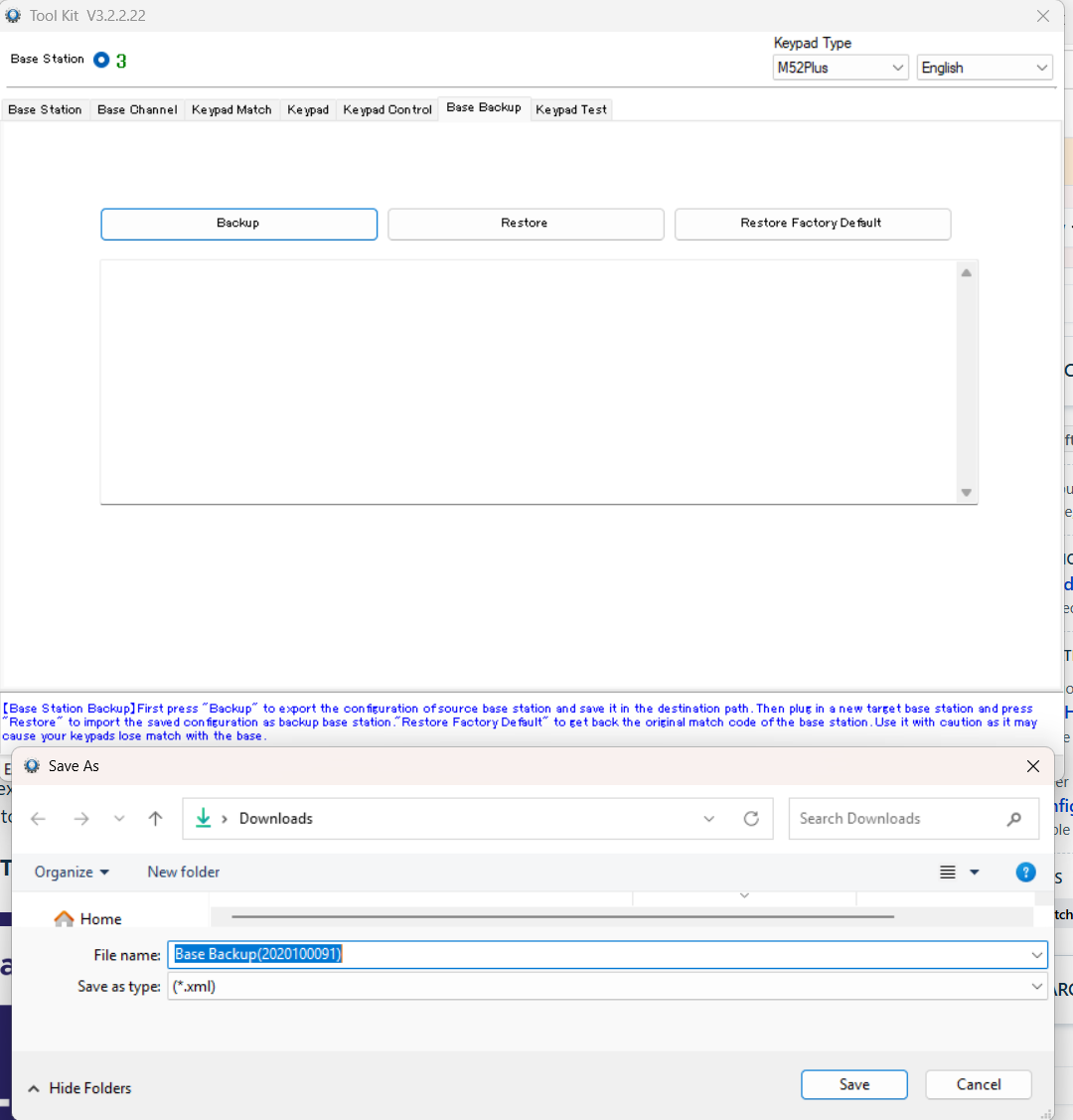
When you are finished matching your keypads, you may want to create a backup file (.XML) that you can restore to another base should you need it. This gives you a backup plan should the receiver fail or break. Also, note that if you exit out of the toolkit app, the matched keypads will no longer show up on the list next to "matched keypad count." You can use the "start getting" feature from the keypad tab in order to troubleshoot and check that the matched keypads are working as intended.
BASE BACKUP
YOUTUBE TUTORIAL
RELATED ARTICLES
Programming and Labeling Keypad IDs
Protecting Your Keypads from Dirt and Damage
Was this article helpful? Please leave your feedback below
Was this article helpful?
That’s Great!
Thank you for your feedback
Sorry! We couldn't be helpful
Thank you for your feedback
Feedback sent
We appreciate your effort and will try to fix the article