PROBLEM
Whether your business voting session has Agenda items that require Simple Majority, 2/3 Majority, 4/5 Majority or 9/10 Majority, TownVOTE can be set up to automatically calculate the pass/fail for you.
SOLUTION
There are two voting rules areas: session-wide rule so that you don't have to edit each Agenda item individually, and a specific voting rule for those Agenda items that require a different quantum of votes calculation than the rest.
The session rule determines the general rule which governs the whole session (all Agenda items) and will apply by default to each new item created in the Agenda.
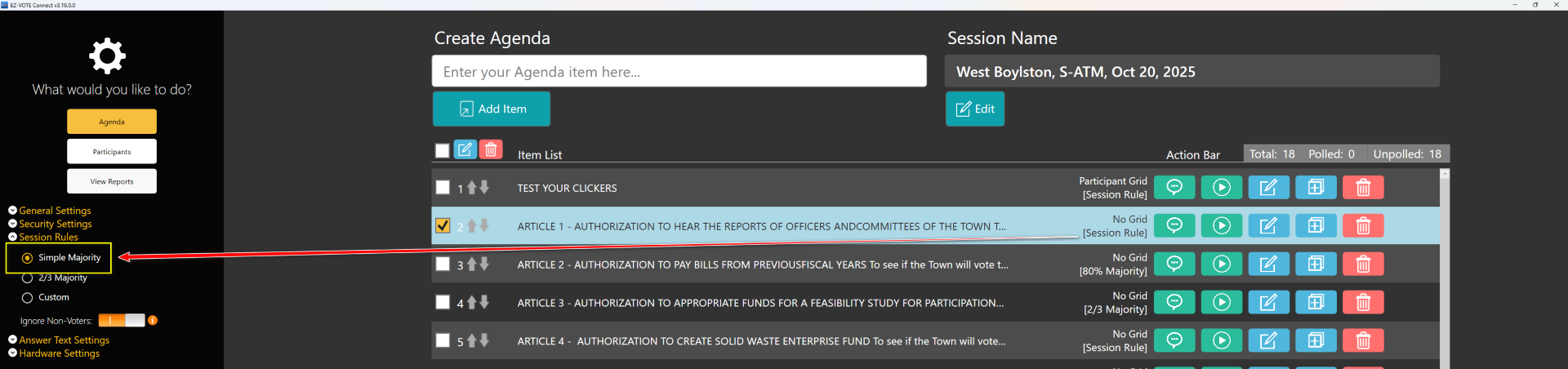
Choose a session rule from the Sidebar Settings menu shown below on the left-hand side of the Agenda page.
In TownVOTE, Simple Majority is calculated as 50% + 1, while "yes" votes must be double the "no" votes if the 2/3 Majority should pass.
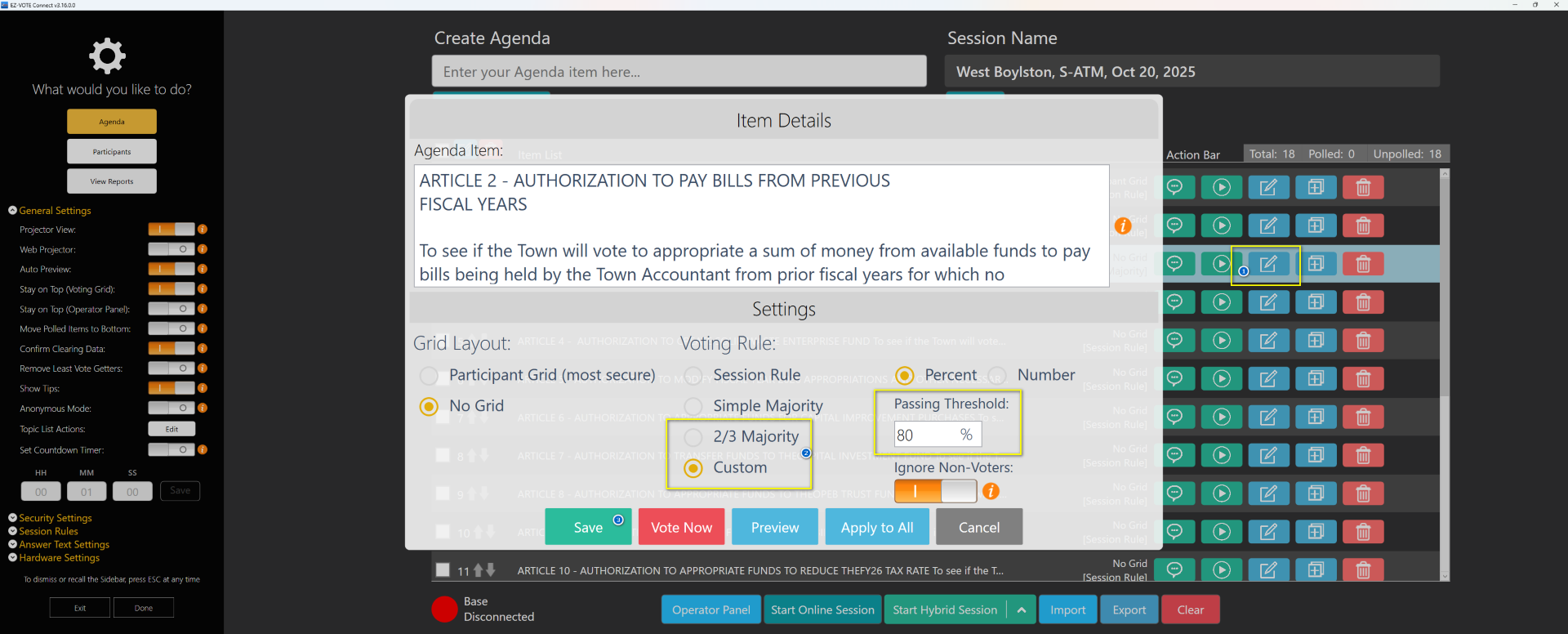
However, it is possible to change the individual voting rule, which overrides the session rule for each Agenda item. You can select the edit button on the right-hand side of each item row. This will bring up the menu seen below. Under the voting rule tab, you can see the list of session rule options. You may select the session rule option which will be determined by the settings above or override the session rule and choose a 2/3 majority or even select a custom session rule (e.g., 4/5 or 9/10), like in the case of our town meeting clients in Massachusetts. If using a custom session rule, set the desired parameters on the right-hand side including the passing threshold number or percent.
YOUTUBE TUTORIAL
Was this article helpful? Let us know below.
Was this article helpful?
That’s Great!
Thank you for your feedback
Sorry! We couldn't be helpful
Thank you for your feedback
Feedback sent
We appreciate your effort and will try to fix the article