PROBLEM
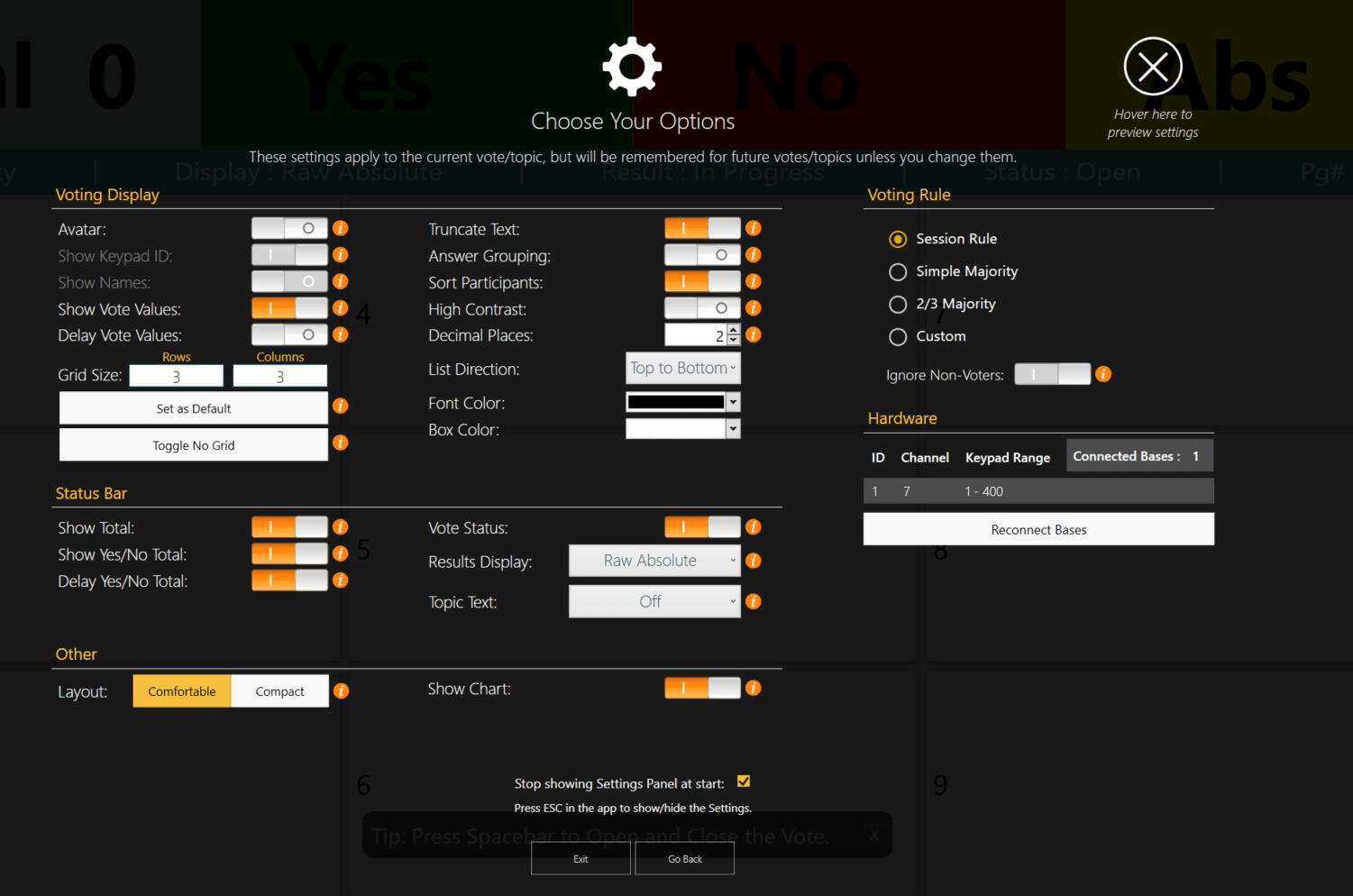
You must locate the settings panel in the TownVOTE software to change or update settings preferences. Setting options include voting display, voting rule, status bar and hardware configuration.
SOLUTION
In order to use the settings panel, you must first open a vote. Click the vote now icon, on the action bar to start voting. While the vote is open, you can locate the settings icon on the Action Bar. If you are not using the projector mode, simply press the escape key while the vote is open to bring up the options panel.
YOUTUBE TUTORIAL
Was this article helpful? Please leave your feedback below
Was this article helpful?
That’s Great!
Thank you for your feedback
Sorry! We couldn't be helpful
Thank you for your feedback
Feedback sent
We appreciate your effort and will try to fix the article