PROBLEM
You would like to have an option for voters to "abstain" from voting. This will not count their vote towards the total but will record their response for the record.
SOLUTION
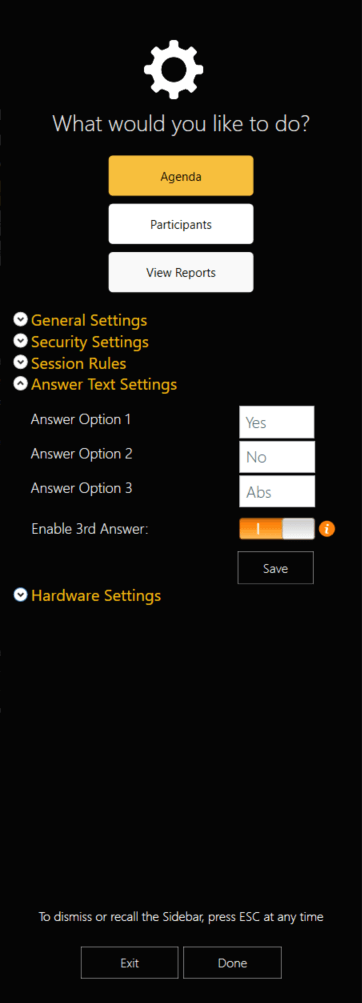
In TownVOTE, navigate to the left panel and select the settings arrow at the bottom. Then, expand the Answer Text Settings options. Answer option 3 should say "Abs" for abstain. Below that is a toggle to enable the 3rd answer choice (pictured below). Selecting this option will allow voters to use the abstain option in your meetings.
YOUTUBE TUTORIAL
Was this article helpful? Please leave your feedback below.
Was this article helpful?
That’s Great!
Thank you for your feedback
Sorry! We couldn't be helpful
Thank you for your feedback
Feedback sent
We appreciate your effort and will try to fix the article