SOLUTION
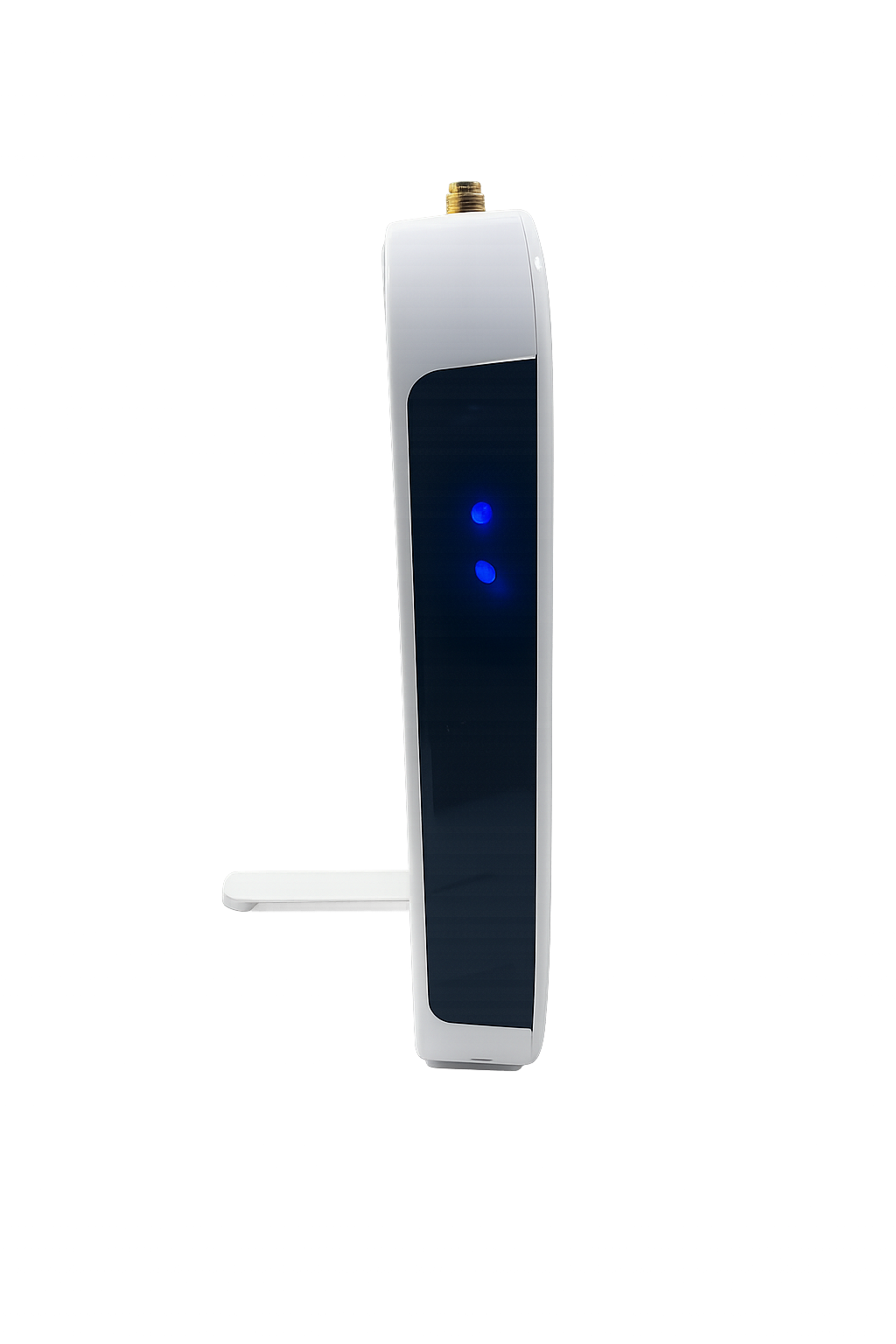
Check to see that each of the receivers you are trying to connect to are receiving power. The black front should show all solid blue LED lights when first plugged in and then display one solid and one flashing blue light shown below.
POWERED RECEIVER
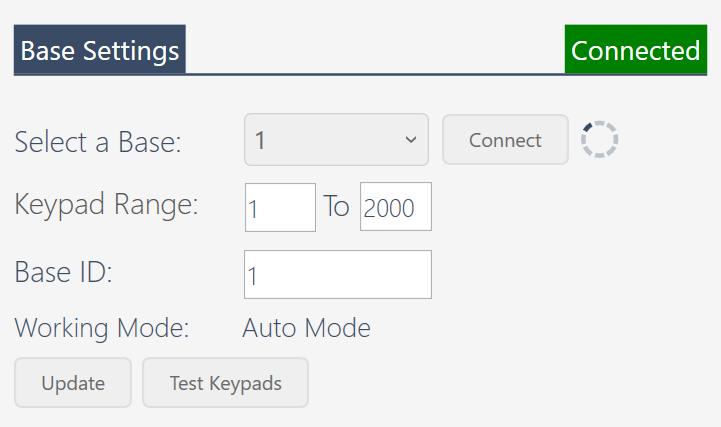
Make sure that your bases each have their own separate base IDs. You can find the base ID from the EZ-VOTE Connect settings shown below. After connecting to the base, you may type a new number into the base ID field and click the update icon to save.
BASE SETTINGS
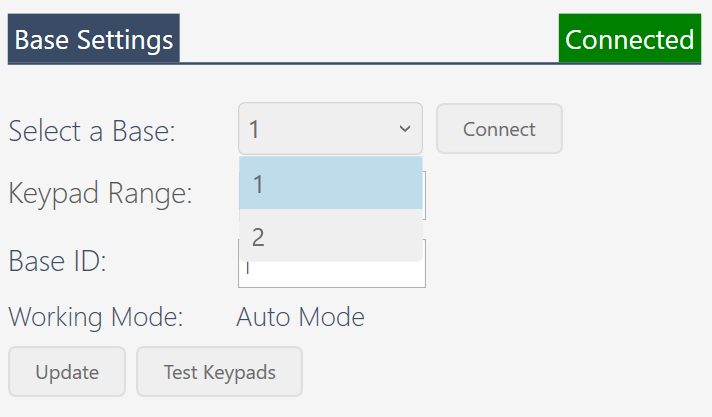
If you have successfully connected both bases, you should be able to select between bases from the Select a Base dropdown menu.
SELECT A BASE DROPDOWN MENU
If the bases are still not connecting, check your installed programs from the Add/Remove Programs control panel in Windows. You may find that there are two versions of EZ-VOTE installed with one of the versions containing incomplete data. Please uninstall all versions of EZ-VOTE and reinstall the latest version from our website. Now you should be able to connect to both bases.
- Client couldn't connect to two receivers that were plugged into the computer at the same time using the EZ-VOTE Connect app
- One receiver would always show, but the other one (while showing properly the two blue lights - one flashing, one solid)
- The same configuration worked in Toolkit (both Base IDs were connected and visible there)
- Each Base ID was definitely set to a unique (ID 1 and 2)
- Client had each base plugged into a separate USB port on the computer, which means that each base was properly powered
- They also tried to connect a USB-C hub which was a power kind, so that the two bases connected to it would be properly powered, as well
- They tried to swap the USB ports that the two receivers were plugged in, but since the Toolkit WAS seeing BOTH bases, we knew this wasn't going to help
- I also had them change one of the IDs from 2 to 3, but that didn't help either
- Then I had them check the installed programs (Add/Remove Programs control panel in Windows) and found that there were TWO versions of EZ-VOTE v3.18 - one looked very strange and 'incomplete' in terms of file size, missing branded icon, etc.
- We uninstalled BOTH versions, and then installed the 'offline' package of v3.18 from our website.
- This fixed the issue, so the conclusion is that the 'botched' installation that remained on the computer was causing the API to connect only to ONE of the TWO bases.
Was this article helpful?
That’s Great!
Thank you for your feedback
Sorry! We couldn't be helpful
Thank you for your feedback
Feedback sent
We appreciate your effort and will try to fix the article