PROBLEM
Sometimes during a town meeting, the moderator will opt out of using keypads (clickers) for a vote and instead call for a voice vote or hand vote. What is the best way to record this vote in TownVOTE?
SOLUTION
In scenarios where the keypads are not being used to take a vote, it is best to record the results of the vote using the pre-vote screen. You can see the pre-vote icon within the action bar as a textbox with three dots (shown below).

By selecting the pre-vote icon, you will bring up the pre-vote details screen (shown below). You can see in the middle towards the right side a Voice/Hand Vote section where you can click whether or not the vote passed or failed. It may also be helpful to include notes in the notes text box at the bottom. For example, if there is a unanimous vote, it may be useful to indicate that as I have done below.
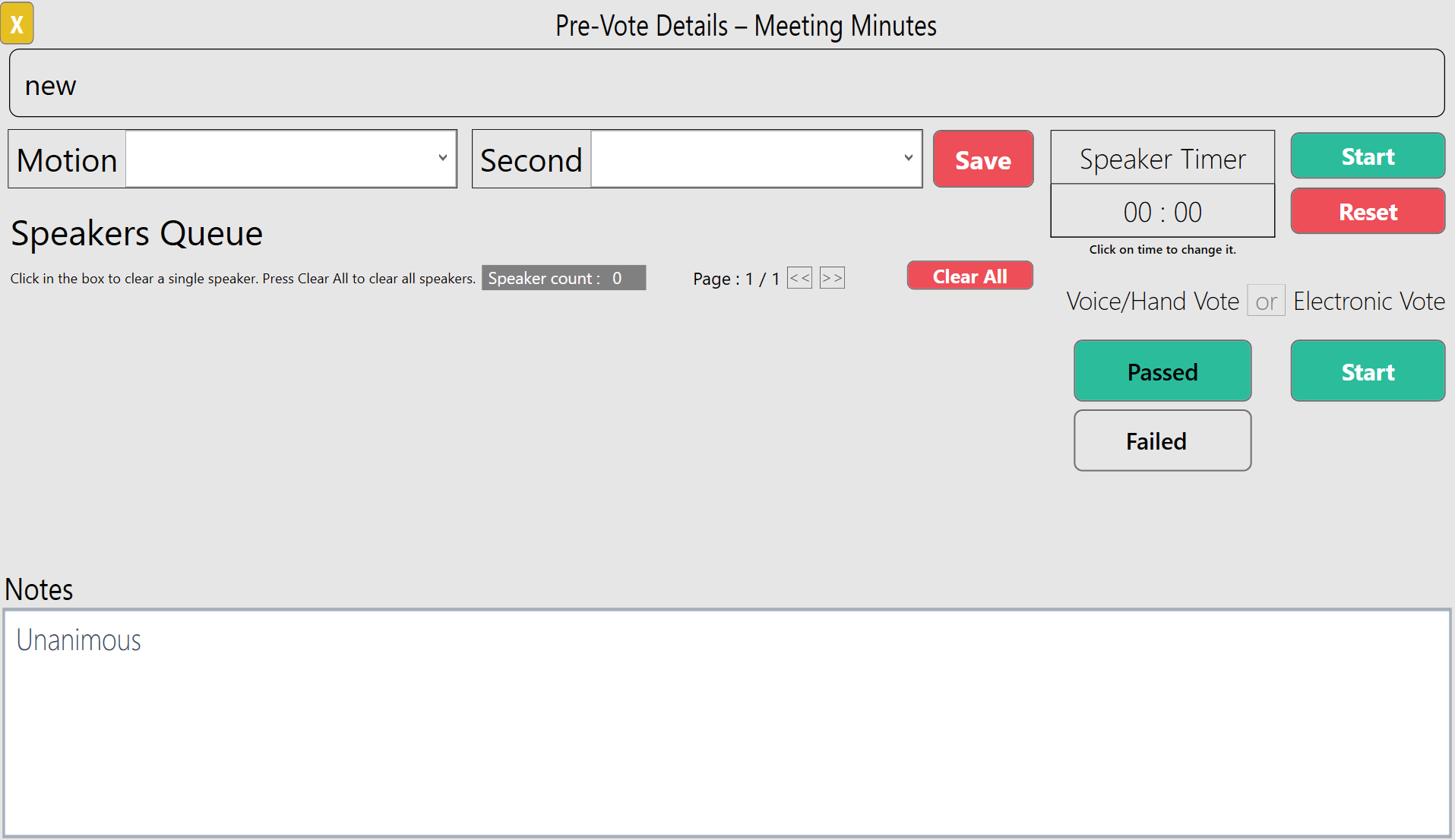
When you have completed entering in the information and close the pre-vote details window, you will see that the agenda item vote has been recorded as passed or failed based on your input. Sometimes, mistakes happen and you may have made an error. It is possible to change the results, but you must enter your initials to be shown in the record. You may also discount the results and duplicate the agenda item for a revote.
YOUTUBE TUTORIAL
RELATED ARTICLES
Checklist for Preparation for the Next Town Meeting
How to Set Up an Agenda in TownVOTE
Utilizing and Customizing Participants in TownVOTE
Was this article helpful? Please leave your feedback below
Was this article helpful?
That’s Great!
Thank you for your feedback
Sorry! We couldn't be helpful
Thank you for your feedback
Feedback sent
We appreciate your effort and will try to fix the article