PROBLEM
Sometimes, you might want to test your keypads to troubleshoot potential issues such as a low battery or poor connection.
SOLUTION
To test your keypads, open the EZ-VOTE Connect application and navigate to the settings menu by clicking the gear icon in the top right. Then, connect to your base by selecting the Connect button on the right-hand side of the base settings.
BASE SETTINGS
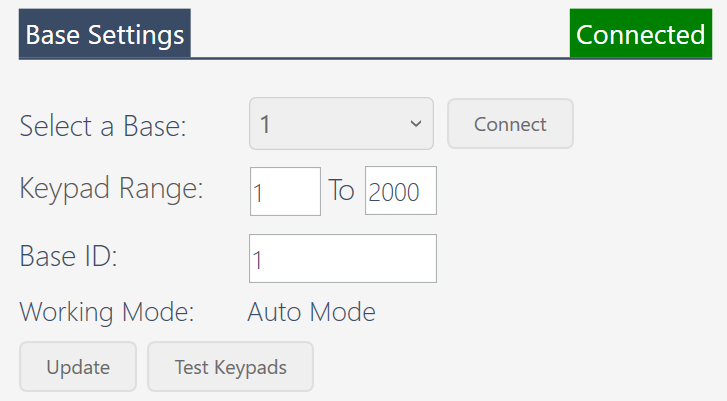
NOTE: if you need to connect multiple base receivers, do so before clicking the Connect button, and after they are detected, verify that they are each connected by clicking the "Select a Base" drop-down menu. If you connected two receivers, but only one shows in the drop-down menu, it is most likely because the two devices have the same Base ID. You must change one of the Base IDs so they are unique and reconnect again.
You should also make sure that the Keypad Range of each receiver covers the group of keypads you want it to work with.
After you have successfully connected to your base, select the Test Keypads button at the bottom of the base settings. This will bring up a new, customizable window showing keypad ID numbers on a grid. You may customize the voltage and signal strength thresholds in the top left, which will set the minimum settings to be recognized by the base. In the top right, you can change the number of Keypad IDs that will be displayed on the grid.
TEST KEYPADS WINDOW
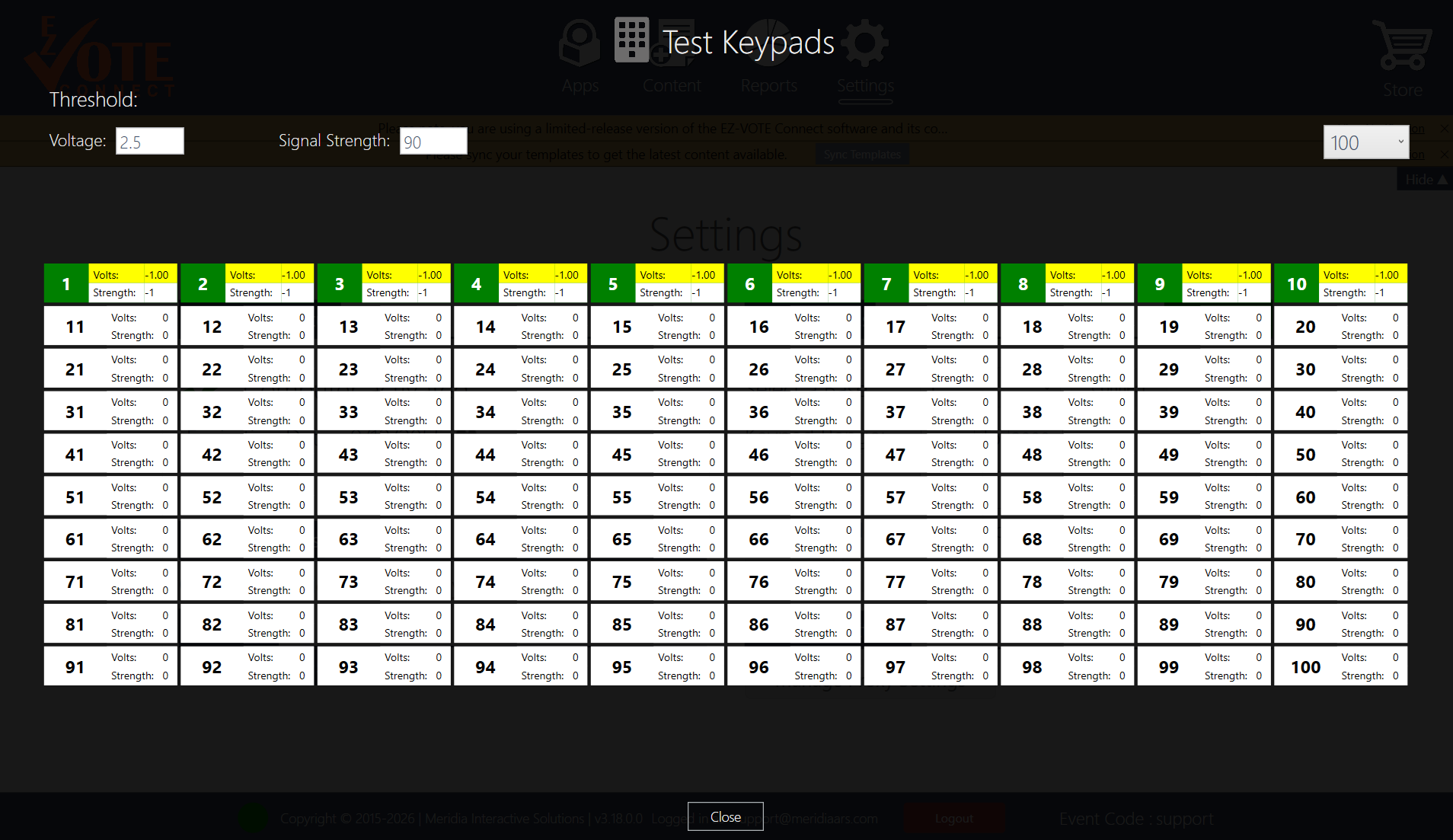
Begin pressing the keys (any key) on the keypads to wake them up and send a vote (e.g., 1 or 2) to register it on the grid. All working keypads will display a green color in their grid rectangle, while keypads with a low battery will show up red. Keypads that do not register a signal to the receiver will remain white on the grid.
Above, you can see that keypads numbered 1 through 10 were successfully registered.
YOUTUBE TUTORIAL
RELATED ARTICLES
Was this article helpful? Please leave your feedback below
Was this article helpful?
That’s Great!
Thank you for your feedback
Sorry! We couldn't be helpful
Thank you for your feedback
Feedback sent
We appreciate your effort and will try to fix the article